How to lay fiber optic cables for surveillance cameras
Connecting fiber optic cables to surveillance cameras involves using media converters or SFP modules to convert electrical signals to optical signals, enabling long-distance, high-quality video transmission.
Benefits of Using Fiber Optic Cables
Fiber optic cables offer several advantages for surveillance systems:
- High bandwidth: Supports high-resolution video streams up to 10Gbps without signal degradation .
- Long-distance transmission: Can carry signals over kilometers, unlike copper cables .
- Immunity to electromagnetic interference (EMI): Ensures stable video in industrial or high-EMI environments .
- Enhanced security: Difficult to tap without detection .
- Durability: Resistant to moisture, temperature changes, and corrosion, and safe for outdoor use .
Required Equipment
To connect fiber optic cables to surveillance cameras, you typically need:
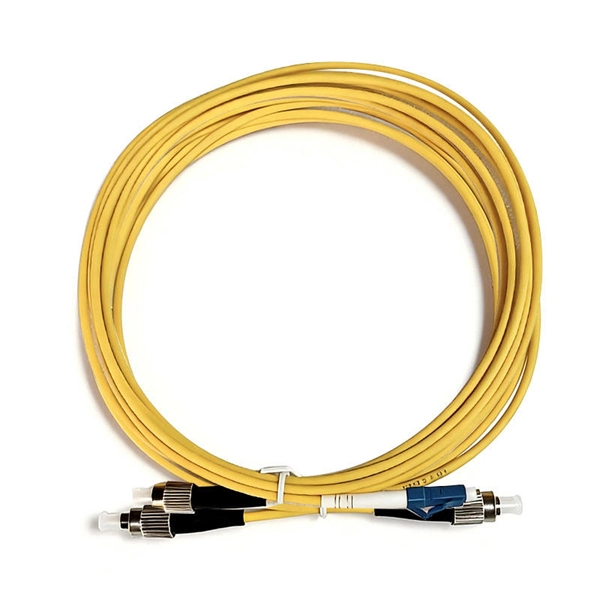
- Fiber optic cables: Single-mode or multimode, pre-terminated with LC connectors for easier installation .
- Media converters: Convert camera electrical signals to optical signals and vice versa .
- SFP (Small Form Factor Pluggable) modules: Inserted into switches or cameras to handle optical-to-electrical conversion .
- PoE switches: Provide power and data to cameras, simplifying wiring for outdoor installations .
- Ethernet cables: Connect cameras to media converters or PoE switches .
- Power supplies: Ensure continuous operation of cameras and network devices .
Step-by-Step Connection Process
- Plan the layout: Determine camera locations, distances to the monitoring center, and cable routing (overhead or underground), .
- Install fiber optic cables: Secure the cables along the planned route, avoiding sharp bends or splices .
- Connect the camera end:
- Place a media converter or SFP module at the camera.
- Connect the camera to the converter using Ethernet or compatible interface .
- Connect the monitoring end:
- Insert the corresponding SFP module into the network switch or NVR.
- Connect the fiber cable to the SFP module, converting the optical signal back to electrical for recording or display .
- Power the devices: Use PoE switches or dedicated power supplies to power cameras and converters .
- Test the system: Verify video feed quality, check for signal loss, and ensure all cameras are operational .
Best Practices
- Use pre-terminated fiber cables to reduce installation errors and insertion loss .
- Avoid splicing fiber cables unless necessary, as splices can degrade signal quality .
- Ensure compatible SFP modules and media converters are used for both ends of the fiber link .
- Plan for future expansion by leaving extra cable length and using modular switches .
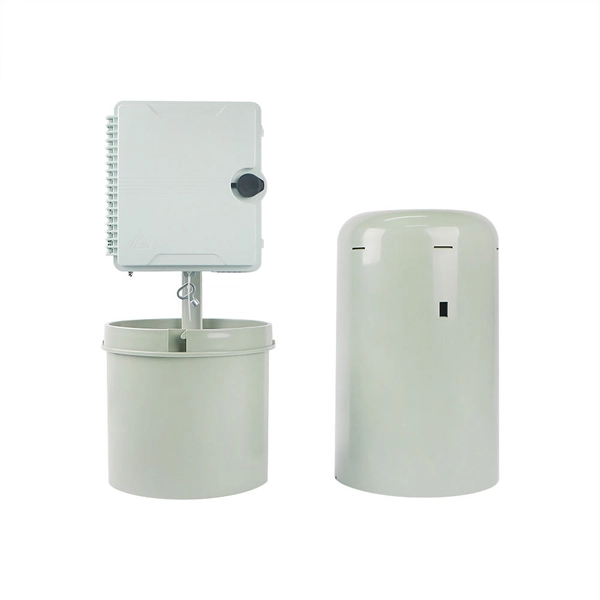
- Protect outdoor equipment with weatherproof enclosures and proper grounding . By following these steps and using the appropriate equipment, you can establish a reliable, long-distance, and high-quality surveillance system using fiber optic cables.
 Factory
 Fiber Optic Network in Long Distance IP Surveillance
Fiber optic network is by far the fastest and most reliable network connection, especially in long-distance transmission. For the past
 Factory
 Know How to Connect Fiber Optic Cable to a CCTV Camera
In fiber-optic or hybrid networks, a fiber optic cable can be used to link CCTV to the network. This article offers some
 Factory
 How to Connect Fiber Optic Cable to a CCTV Camera
In fiber optic or blended networks, you can opt for a fiber optic cable for CCTV connectivity with the network. This post
 Factory
 Fiber Optics for CCTV
Fiber Optics for CCTV Abstract CCTV has traditionally used analog transmission to move pictures from cameras to displays.
 Factory
 Using fiber-optic cable in security and surveillance
Click here to enlarge image Security and surveillance camera systems are now a vital application in the enterprise space, where
 Factory
 Build A Fiber Network for Multi-Site IP Cameras
In this video, we walk you through a real-world IP camera installation project that involves setting up a network for 10+
 Factory
 4 Ways to Connect Security IP Cameras with Fiber Optical Cable
Posted on September 7, 2020 by FC — Leave a comment 4 Ways to Connect Security IP Cameras with Fiber Optical Cable As the
 Factory
 Be Your Own Technician: DIY Fiber Optic Installation Guide
6. Can I install fiber optic cables myself? Yes, with the right tools and guidance, you can certainly install fiber optic
 Factory
 Fibre Optic for cctv camera installation : using a fibre optic to
Fibre Optic for cctv camera installation : using a fibre optic to connect IP cameras & NVR How to use fibre optic cables
 Factory
 The use of fiber optics in security and surveillance systems
Today, and especially when it comes to new and upgraded installations containing scores of cameras, a minority have coaxial while
 Factory
 Indoor and Outdoor Fiber Optic Cable Installation: Key Considerations
Explore best practices for installing indoor and outdoor fiber optic cables, including conduit, direct burial, riser, and aerial